
Hide YouTube Shorts
Shorts are hidden automatically so the YouTube feed stays focused.
Distraction-free browsing
Hide Shorts, Reels, Stories and other distracting content so you can focus on what truly matters.
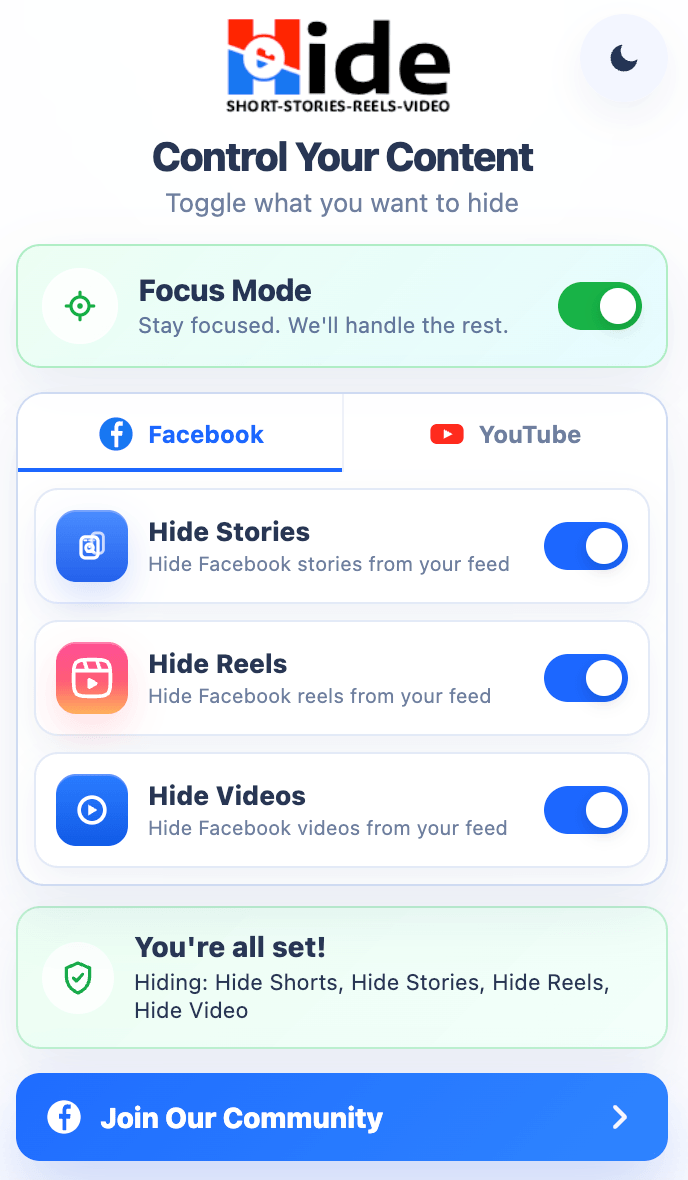
Seven filters are switched on the moment you install, across YouTube, Facebook, and Instagram. Nothing to configure.
Shorts are hidden automatically so the YouTube feed stays focused.
Reels stay hidden from Facebook surfaces without extra setup.
Facebook and Instagram Stories are removed to keep social browsing cleaner.
Feed videos stay hidden, and their audio is stopped rather than left playing out of sight.
Instagram Reels stay hidden from feed and Reels surfaces.
The Explore tab is hidden and its direct links are redirected back to your feed.
Facebook ads are cleared from the feed and sidebar. This one ships switched off.
Free keeps every filter locked on. There is nothing to manage, and nothing switches itself off.
Add Hide Shorts, Reels, Stories & Explore from the Chrome Web Store.
Seven filters switch on automatically, with no controls to manage.
Pro unlocks toggles so you decide what hides and what shows.
Free locks every filter on. Pro unlocks the switches — turn a filter off when you actually want that content, and turn Hide Sponsored & Ads on.
Pro controls
Pro is for users who want flexibility. Bring specific content back when you choose, and switch on Hide Sponsored & Ads — the one filter that ships off.
Toggle what you want to hide
Reviews
Every review below is a real, unedited 5-star rating from the Chrome Web Store listing.
The old extension I was using stopped working completely, but this one is doing the job perfectly.
You just saved me from my daily doom-scroll.
Literally the only thing that actually works!!
Fortunately, this developer keeps the extension current.
This capability actually brought me to Chrome.
Just installed and works perfectly.
Downloaded, works fast and well.
Works seamlessly. Great extension!
Worked perfectly! Thank you so much!
Thanks for doing what Facebook and YouTube won't.
Pricing
Free keeps the distracting content hidden all the time. Pro unlocks the switches so you decide what hides and what shows.
For users who want distraction protection without managing settings.
$0 forever
Flexible Pro access with all manual feed controls.
$5 $3 /month 40% Off
Best Value
The best plan for daily focus and flexible feed control.
$50 $30 /year 40% Off
One payment for permanent Pro controls.
$150 $100 one-time 33% Off
Bangladesh Special Offer
Pay in BDT through bKash or Nagad. This special local offer is available for Bangladeshi users only.
BDT 250 /month
BDT 2,000 /year
BDT 7,500 one-time
Focus tools should be for everyone. Join our community for 1 month of Pro free — add a 5★ review and you get 1 year free. Plus exciting referral rewards, announced in the community.
Pro customers only
You paid for this, so your report skips the queue. Paid but Pro never unlocked, renewed but still showing expired, or reinstalled and lost access — send it over and a real person will sort it out. Not on Pro yet? The feedback form is open to everyone.
A payment that went through but unlocked nothing, a renewal that did not apply, a refund question, or a charge you do not recognise.
Reinstalling or switching browser profile mints a new User ID, and Pro stays with the one that bought it. Send your current ID and registered email — we update your account and Pro carries on.
Toggles that will not stay on, the account panel showing the wrong plan, or Pro behaving oddly after an update.
What to include
Yes. Your settings stay in your own browser and Hide never collects your browsing history. Pro adds only what is needed to verify your licence: your extension User ID and your account details.
YouTube, Facebook, and Instagram — Shorts, Reels, Stories, Explore, video feeds, and sponsored posts. Seven filters switch on the moment you add Hide to Chrome, with nothing to set up and nothing to sign in to. Hide Sponsored & Ads is the eighth, and it waits for you to turn it on.
Not because it misses anything — it clears sponsored posts and ads from both the Facebook feed and the sidebar. It is off because removing ads is a choice we would rather you made than inherited. Every other filter hides a content format you already know you do not want; this one changes how Facebook pays for itself. Switch it on once and it stays on.
No. Hiding is done with a small stylesheet, so the browser simply never paints the content. On Instagram, hidden posts collapse into compact placeholders so the feed keeps scrolling smoothly.
The switches. Free keeps every filter locked on; Pro lets you turn any of them off when you actually want that content, turn Hide Sponsored & Ads on, and toggle Focus Mode. Access is granted to your User ID the moment your purchase clears.
Yes. Pro is billed by Freemius, our reseller and Merchant of Record — manage or cancel from the account link in your purchase email. Lifetime is a one-time payment, so there is nothing to cancel.
Yes. If Pro is not what you expected, request one through the refund request form with the email you paid with. Refunds are processed by Freemius, our Merchant of Record, and go back to your original payment method.
Tell us through the feedback form. The platforms change their layouts often, so a filter that stops matching is exactly what we want to hear about. Say which site it was and what stayed visible.
Report it on the Pro Support form with your User ID, the email you paid with, and your receipt if you have it. We will switch your Pro on and email you if we need anything more.
No. A reinstall or a new browser profile creates a fresh User ID, and Pro stays with the one that bought it — which is why the extension suddenly looks free. Send us your current User ID and the email you registered with on the Pro Support form. We update the User ID on your account and Pro carries on as normal — there is no need to dig up the old one.
Feedback & issue reports
Found a bug, missing blocked content, or an idea that would make Hide better? Send it through this form so we can review, fix, and improve the extension. Purchase, subscription, and Pro-access problems go to Pro Support instead.